No results found.
Try a different search term or browse the help topics below.
Signing in for the first time
To sign in to your Smart Pension account for the first time, you’ll need to follow the steps mentioned in your activation email or welcome letter.
Activation email from Smart Pension
If your employer gives us your email address, we'll send you an email asking you to activate your account, which you can do in three steps:
- Click the Activate your account button in the email
- Enter your date of birth
- Create a new password
You can then sign in at any time with your email address and new password.
Welcome letter from your employer
If your employer doesn’t give us your email address when they set up your account, they’re responsible for providing you with temporary account details as below.
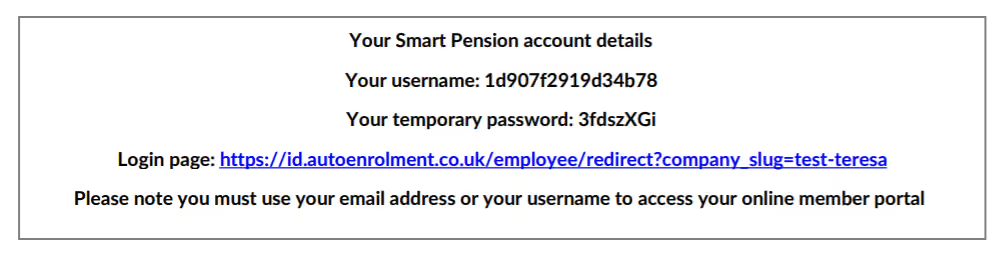
To sign in with your temporary account details:
- Go to the sign in page provided in your letter
- Enter your temporary username and your temporary password
- Select Sign in
- Enter your date of birth
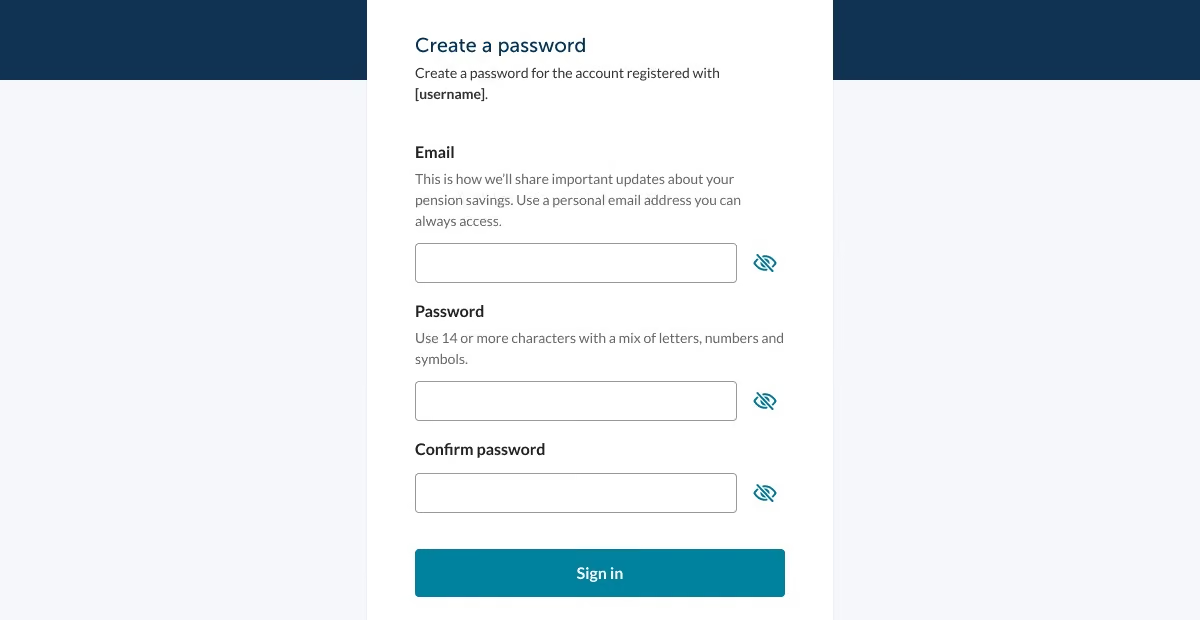
- Once you've entered this, you'll see the following page where you can add an email address and create a password. You'll use these new details to sign in, in the future.
Signing in after the first time
You can sign in at any time with your email address and password.
If you have more than one Smart Pension account, you’ll need your account name - you can find this in your activation email.
You can also sign in without a password by clicking on the Sign in without a password button. You will then receive an email with a secure link that will take you to your account.
Signing in without any details
If you don’t know your sign in details, or have simply forgotten them, we have an easy way to get you set up online.
It only takes a few minutes, and by doing so today, you can keep track of your savings and plan for the future with confidence.
Keeping you safe and secure is our priority. That’s why we use an electronic identity verification system to make sure it’s really you. Here’s what you need to do.
- To get access to your account we will need a few details such as your name, date of birth and National Insurance number.
- Verify your identification by providing a passport or photo card driving licence.
- You will also be asked to provide a selfie.
- Once your ID is verified, you will then receive an email to sign in.
Access your account today and get started by selecting Help signing in on the sign in page.
Need further help?
If you're still having trouble signing in, our member support team is happy to help.
Fill in our contact form and we’ll get back to you or you can use our chat function by clicking the small chat icon in the bottom right of the page to speak to a member of the team.
Our opening hours are 9am to 5pm on Monday, Tuesday, Thursday and Friday, and 9am to 4pm on Wednesday. We’re closed on weekends and bank holidays.
Related articles