Help centre
Read time:
XX

Chapters:

Chapters
I can't remember my employer account name
You need your employer account name to sign in to your Smart Pension account. Here's where you can find it

Your account name is a name or number we use to identify the employer who enrolled you in a Smart Pension scheme.

You can find your account name at the top of most emails we've sent you. It also makes up the first part of the URL you see when you're signed in to your account.
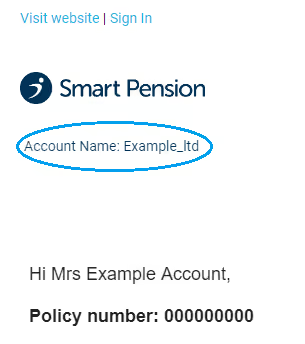
Screen snippet of Smart Pension account page showing links 'Visit website' and 'Sign In', the Smart Pension logo, and account details with the name 'Example_ltd' and a greeting to Mrs Example Account with policy number 000000000.

If you don't know your account name, click on Forgotten your account name? on the member sign in page.
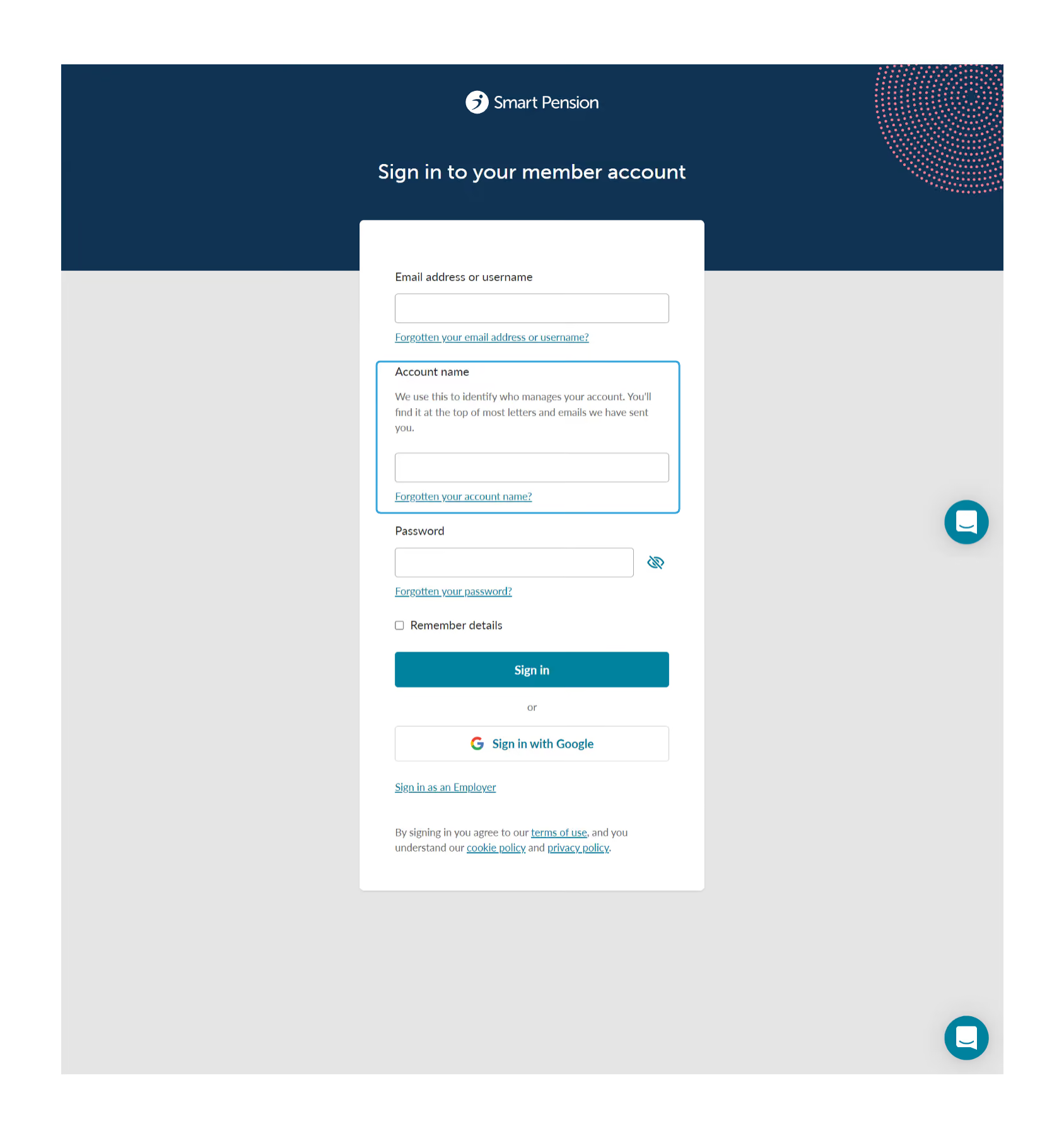
Smart Pension sign-in page featuring fields for email or username, account name with info, password, check box to remember details, sign-in buttons including Google, and links for forgotten info and terms.

On the "Get an account name reminder" page enter your email address and click on Get a reminder, and we'll send you a link which will automatically populate the Account Name field on the sign in page

Can I change my account name?

If you're a member, your account name is connected to the company that enrolled you with Smart Pension, and you can't change it.

Related articles

Last updated:
October 5, 2026

Related articles

Updating your staging date or duties start date

Updating your scheme details

Updating and managing signatories and admins

Updating a group name

Personalising Smart Pension for your employees

Thank you for your feedback!
Oops! Something went wrong while submitting the form.