No results found.
Try a different search term or browse the help topics below.
If you’ve changed jobs several times, you’re likely to have multiple pension pots with different pension providers. By transferring these pots over to your Smart Pension account, you can ensure all pension savings are in one place, spend less time on admin and pay one charge rather than many.
Before deciding to transfer, make sure you read our full guide on transferring your pension for better understanding.
How to transfer my pensions over to Smart Pension
- Sign in to your Smart Pension account.
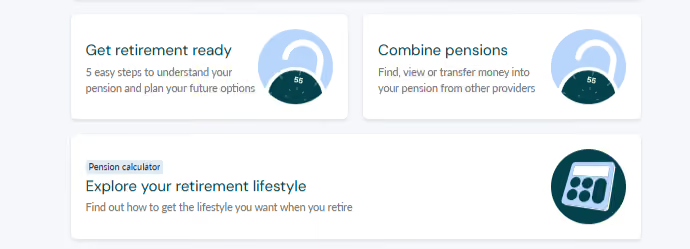
- Select Combine pensions on the ‘Your Pensions’ page.
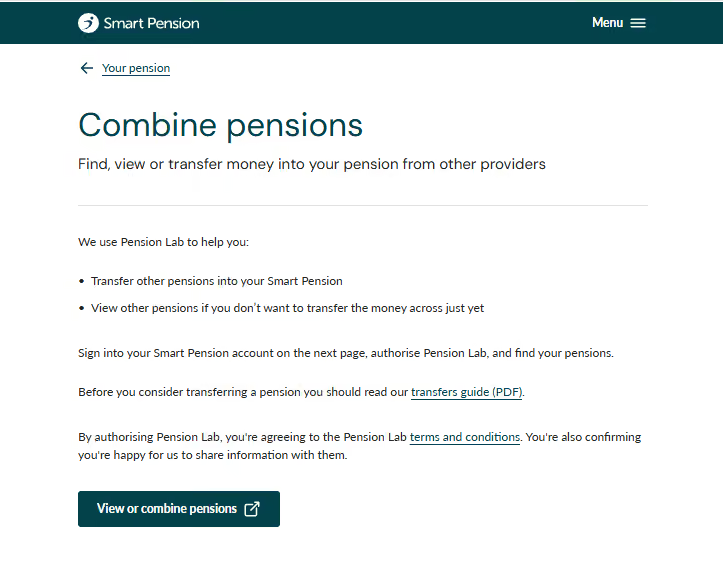
- Read the information carefully on this page before following the instructions and selecting View or combine pensions.
- You’ll be redirected to Pension Lab - this is a pension finder tool that finds and adds your previous pensions.
- Select + Add a pension.
We'll invest the money transferred in the same fund(s) as the rest of your Smart Pension savings. You can change your investment instructions at any time through your account settings. If we can’t accept a particular plan we’ll contact you and outline the reason(s) why.
Before transferring, make sure you understand any benefits, guarantees, or features you may lose. Different pension providers offer different benefits, and these may not be available after a transfer.
Guidance and advice
Smart Pension can only provide guidance and is not regulated to give financial advice. If you require professional advice, you can find support on the MoneyHelper website.
Beware of scammers who are targeting pension savings. You can find more information on staying safe on the Financial Conduct Authority and The Pensions Regulator websites.
If you have any questions about transferring over to Smart Pension or about your account, get in touch with our support team.