No results found.
Try a different search term or browse the help topics below.
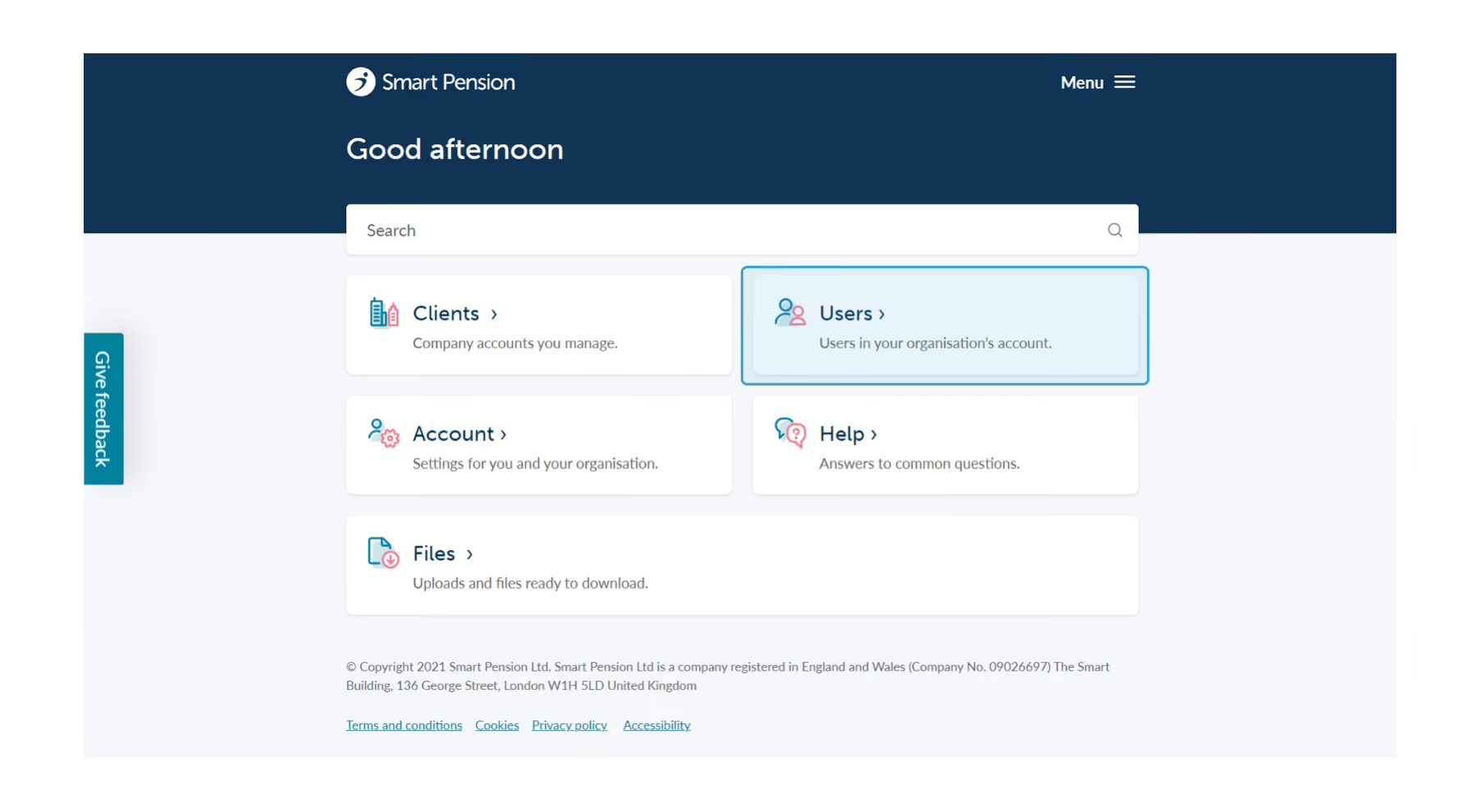
Deleting users can be done by heading to the Home page and then clicking the Users option, pictured below.
Use this guide to delete users from your adviser account. Once deleted, the user will no longer have access to your adviser account; if you have made a mistake and wish to add them again, you must create a new user account.
1. Sign in to your adviser account, and go to the Users page
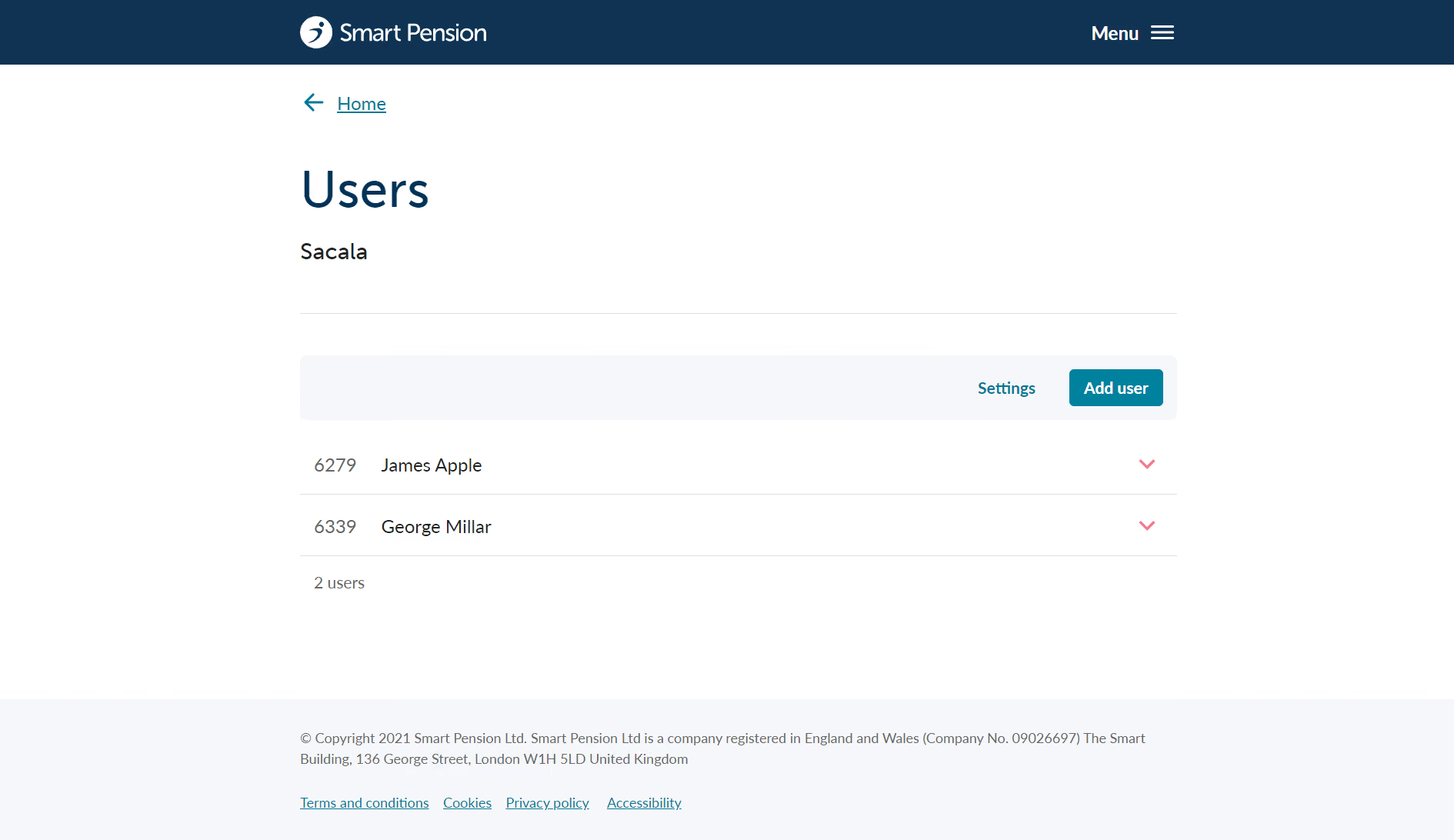
2. From here you will see a full list of users who can access your adviser account, pictured below.
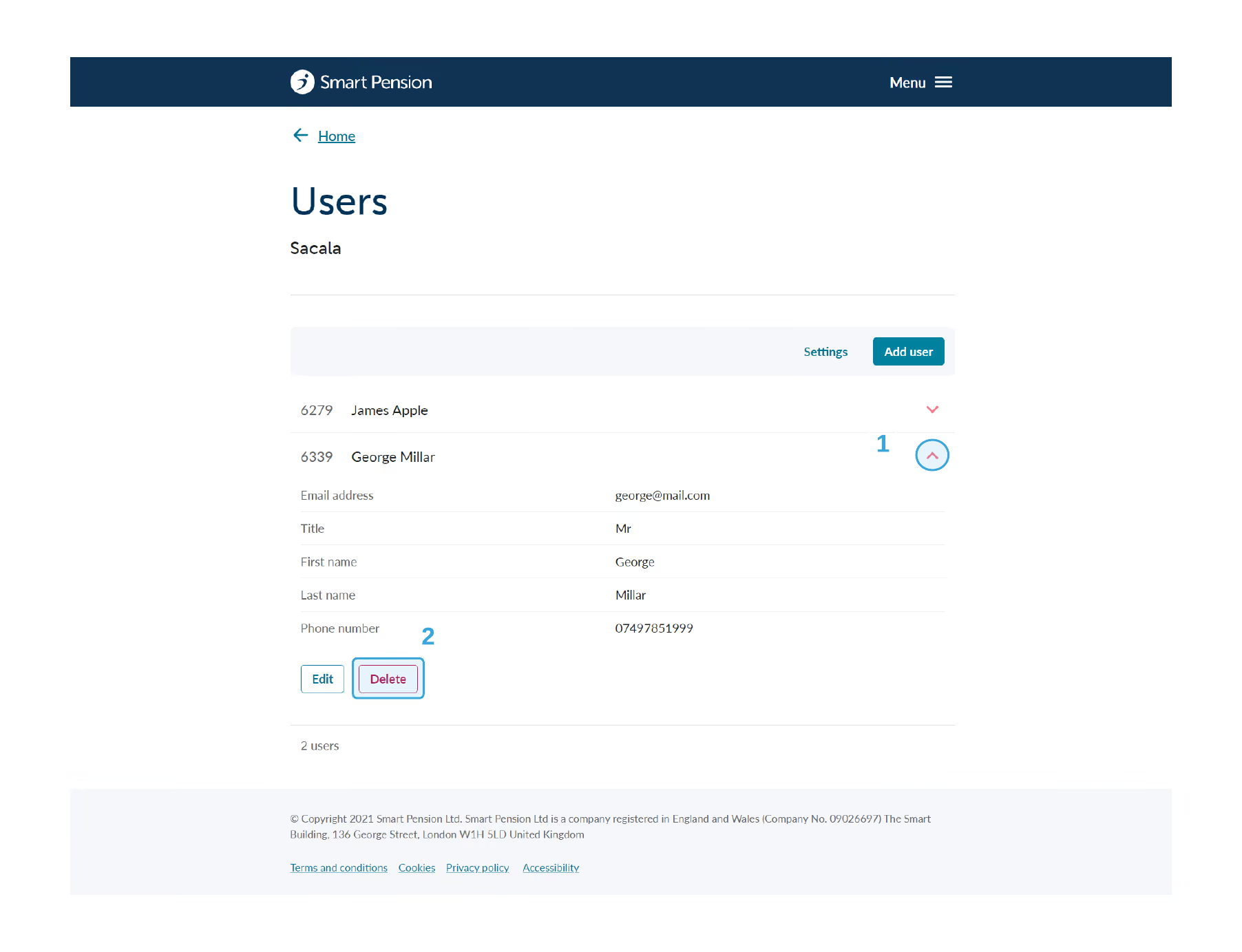
3. On the user you want to delete, click the red arrow to see an expanded view and click the Delete button.
4. You will receive the following warning.

5. Click on Yes, delete this user to remove the user from your adviser account.